On the Config page, a product's Jira project, Confluence space, WordPress hub page and GitHub repositories are chosen from lists read from the product's own connections. Each choice is something the connection can actually see, so a typing mistake cannot slip into the settings.
Choosing from the lists
- Jira project: The projects the Atlassian connection can see, each shown as its key and name, such as CIP: Change Intelligence Platform. Typing in the box filters the list.
- GitHub repositories: The repositories the GitHub connection can read, to choose from.
- Confluence space: The spaces the Atlassian connection can see, shown and filtered the same way.
- WordPress hub page: The site's published top-level pages, plus "A new page…", which asks for a New hub page title.

Note: A saved project or space key that the connection cannot see stays in the list, marked "(this connection cannot see it)". To replace it, choose a project or space from the list.
Adding a repository by its address
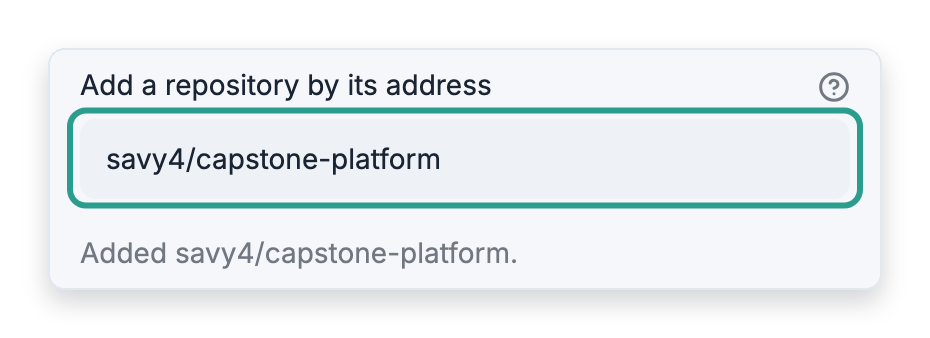
Add a repository by its address accepts a GitHub address, such as https://github.com/owner/name or even a link to one of the repository's pull requests, or the repository written as owner/name. The platform checks it against GitHub before adding it, then shows "Added owner/name." or explains why it was not added, for example "GitHub has no repository owner/name that this connection can read."
Hand-picked pull requests, priority and stack
Hand-picked pull requests, priority and stack are under Advanced: hand-picked pull requests, priority and stack. A line there for a repository that is not chosen in GitHub repositories is listed under Before you can save.
Refreshing the lists
The lists are kept for ten minutes. To read them again from the connections, click Refresh lists.
When a list cannot be read
When a list cannot be read, its field becomes a box to type in, with a note saying why, for example "Type the Jira project key: the list could not be read. Jira answered with HTTP 401."