The Config page holds each product's settings: where its changes come from and where its drafts are published. The form reacts as a product is set up, showing only the fields the product needs and listing every problem before anything is saved.
The form has three sections:
- Product: The product's Name, Slug and whether it is Active.
- Where changes come from: The GitHub connection and repositories, the Atlassian connection and the Jira project key.
- Where output goes: The four output switches and the settings each one needs.
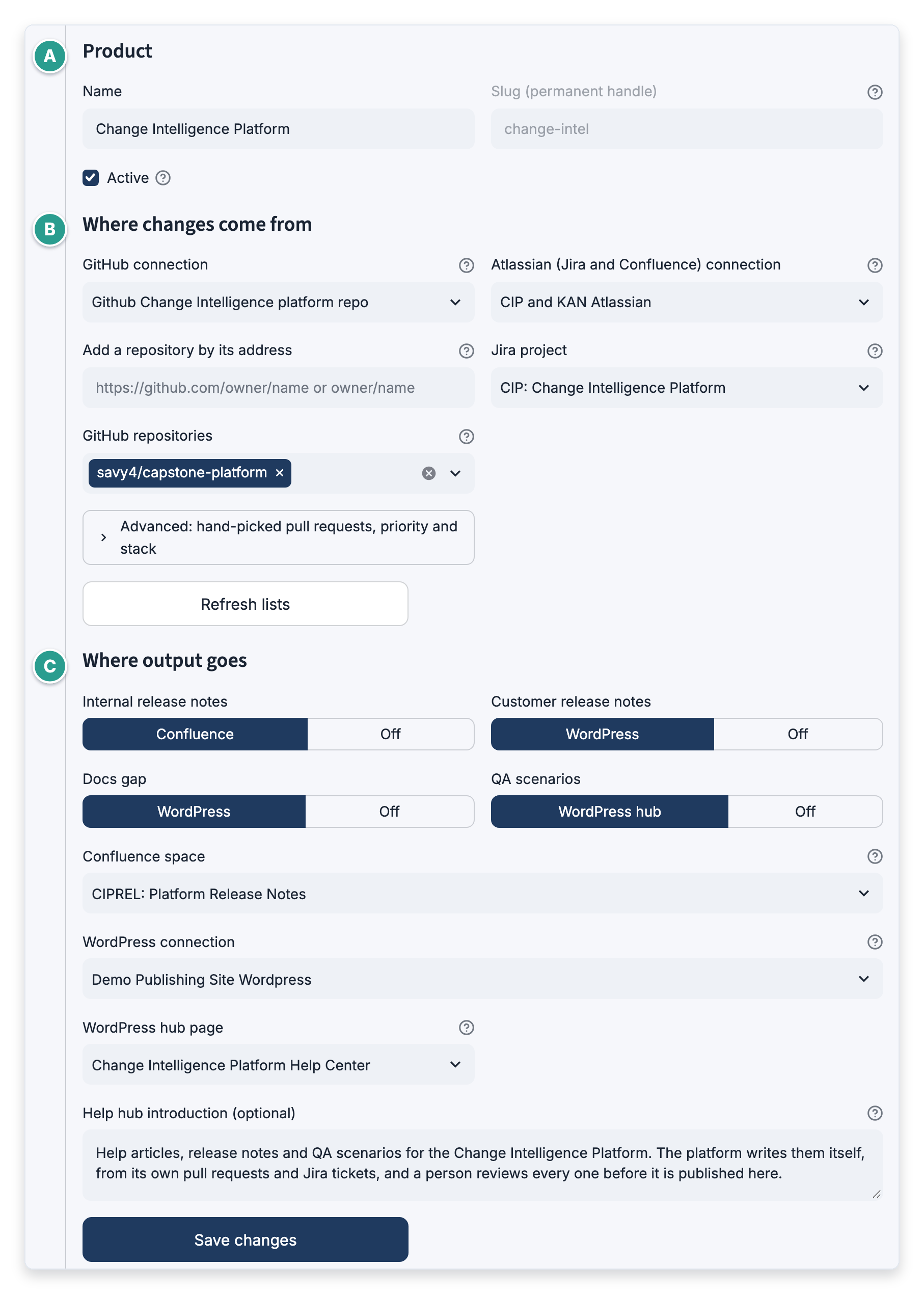
Choosing connections
Each kind of account has its own picker: GitHub connection, Atlassian (Jira and Confluence) connection and WordPress connection. Each picker lists only connections of that kind, and a connection that is failing is marked "(failing)". When only one connection of a kind exists, a product being created starts on it.
Fields that appear when needed
Some fields show only while an output that uses them is switched on:
- Confluence space shows while Internal release notes is on.
- WordPress connection, WordPress hub page and Help hub introduction (optional) show while an output that publishes to WordPress is on.
A field that is hidden keeps what was chosen or entered in it.
Fixing problems before saving
Every problem with the settings is listed under Before you can save, and Save changes stays unavailable until none is left.

Problems it can list include:
- "Customer release notes needs Internal release notes switched on."
- "Enter the Confluence space key: an output that is switched on publishes there."
- A repository that already belongs to another product is named, along with the product that has it, followed by "A repository can belong to only one product."
Reading a product's repositories
When the settings are not being edited, each repository shows how its pull requests are brought in: tracked by release, or the number of hand-picked pull requests.
Note: A help hub with no articles yet shows "Articles appear here as the platform publishes them."